

Thermaltake Gaming Desktop PC
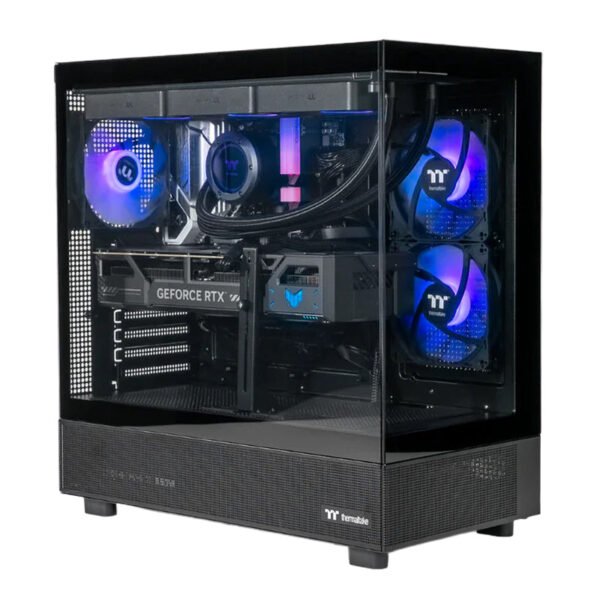
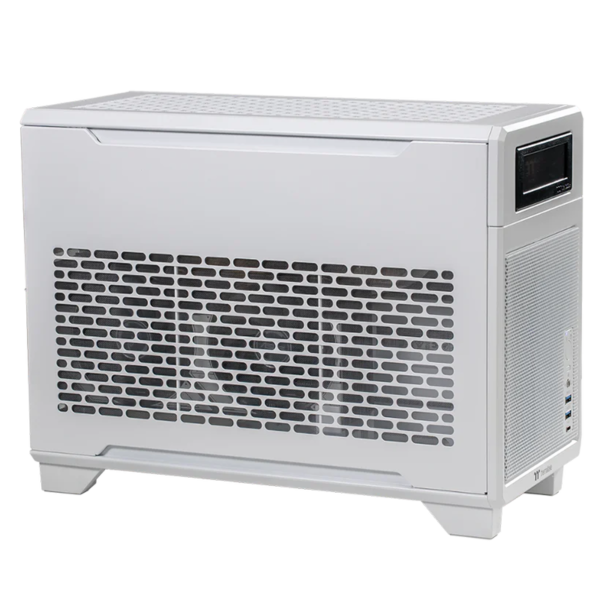
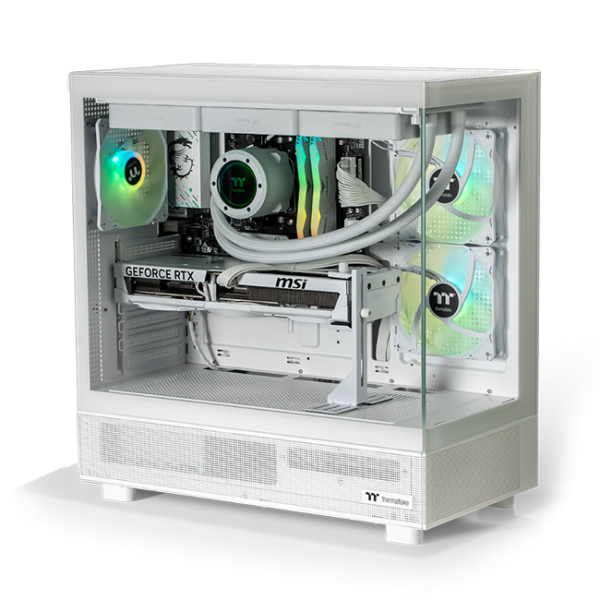
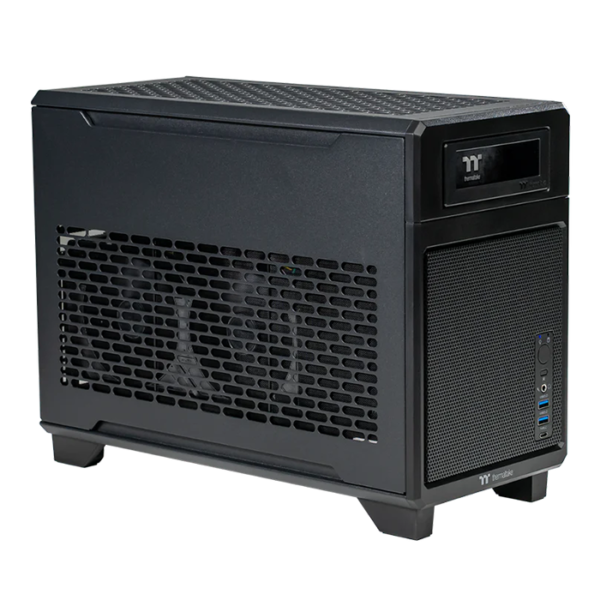
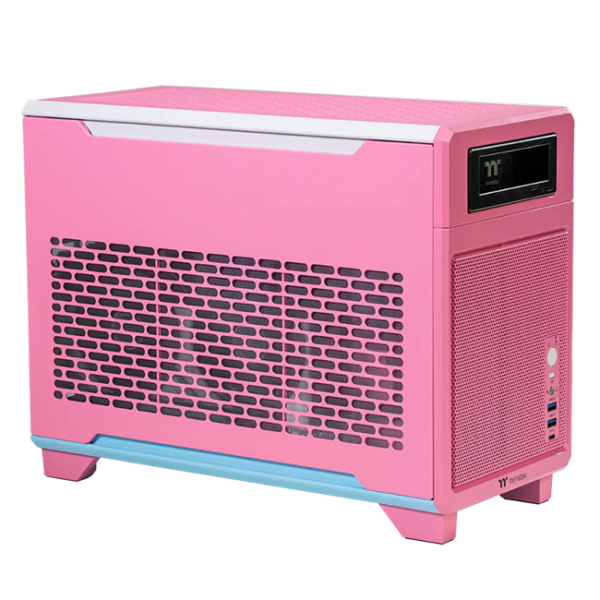
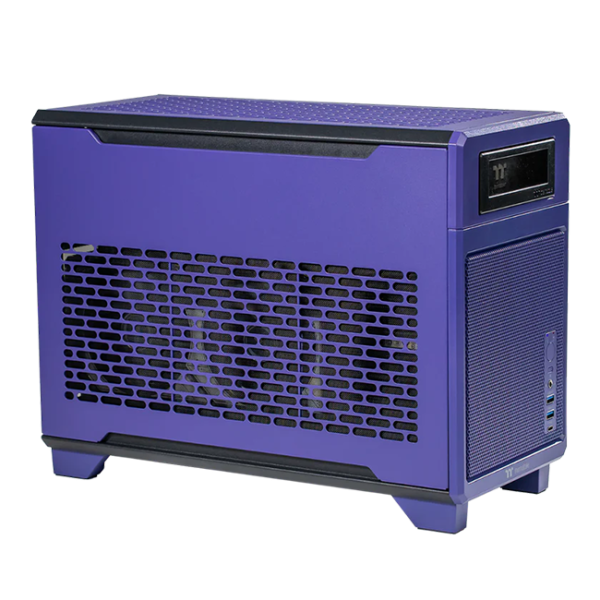
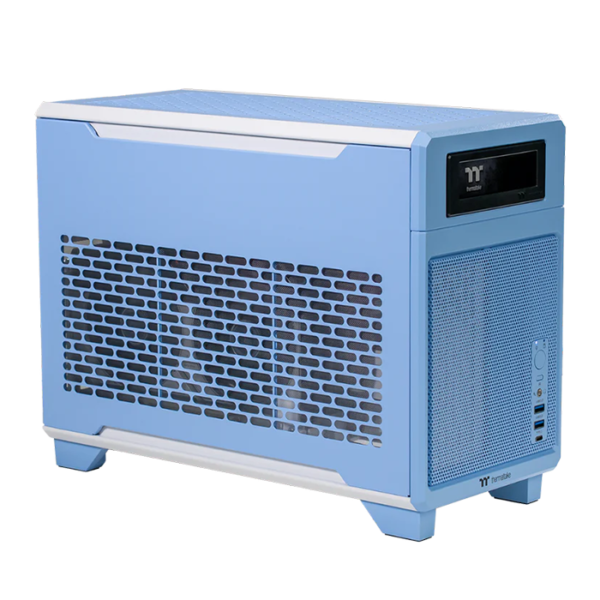
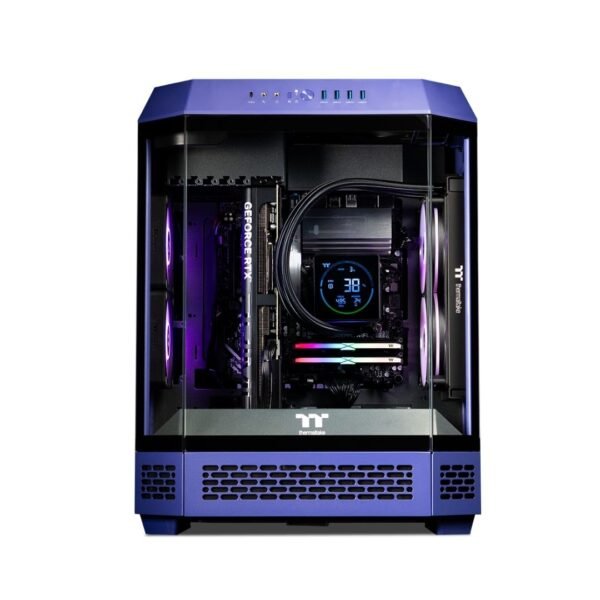

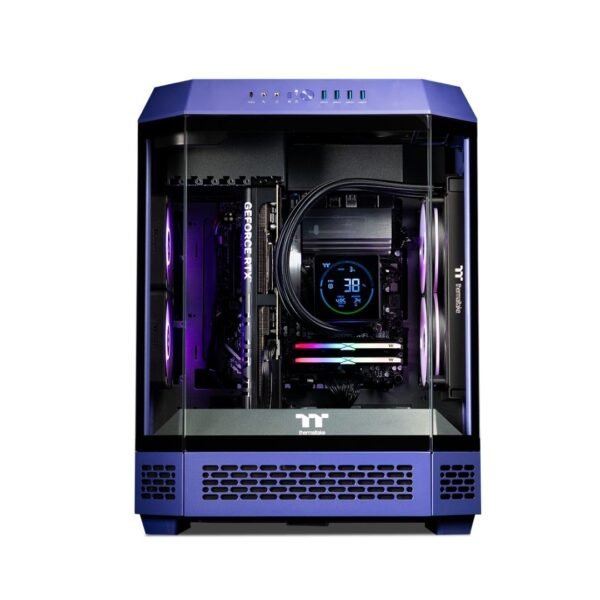
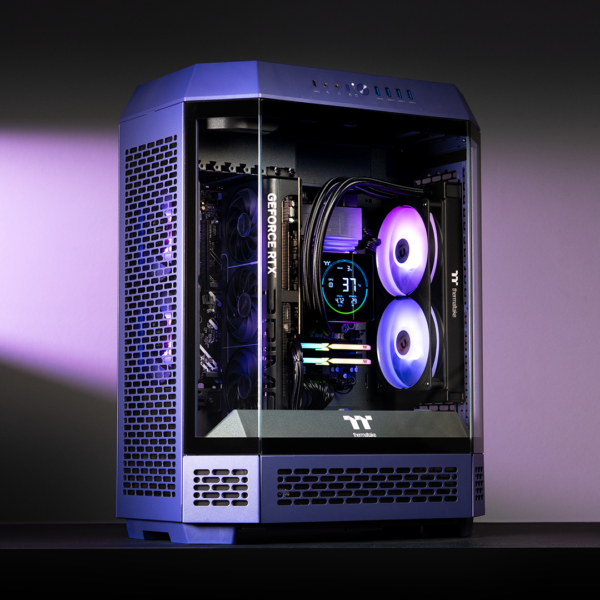
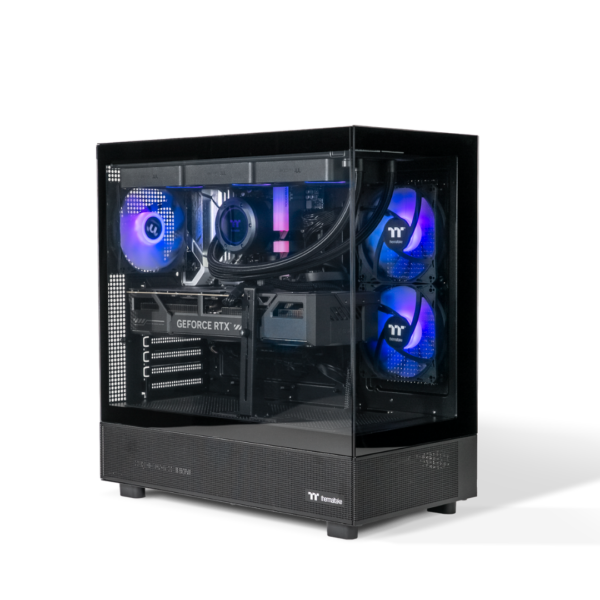
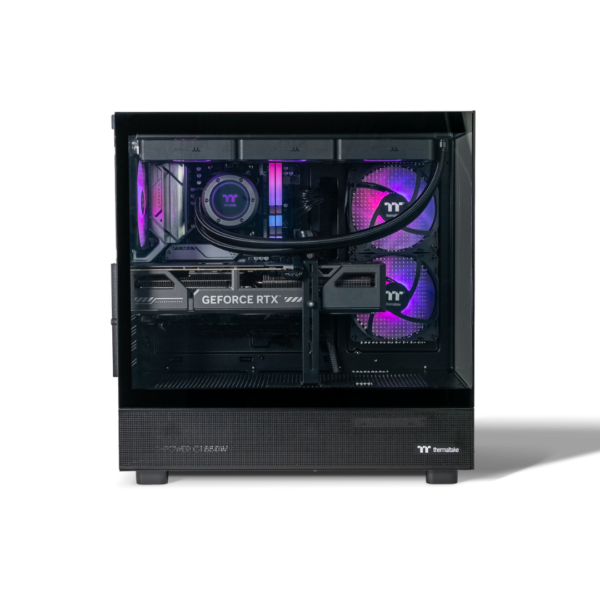

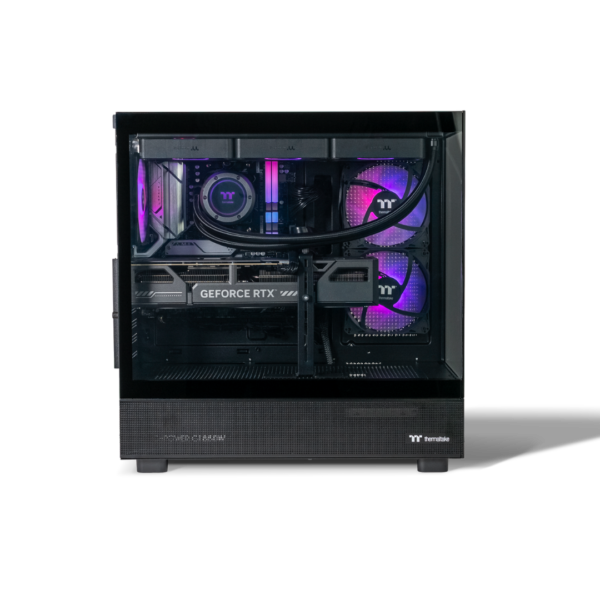
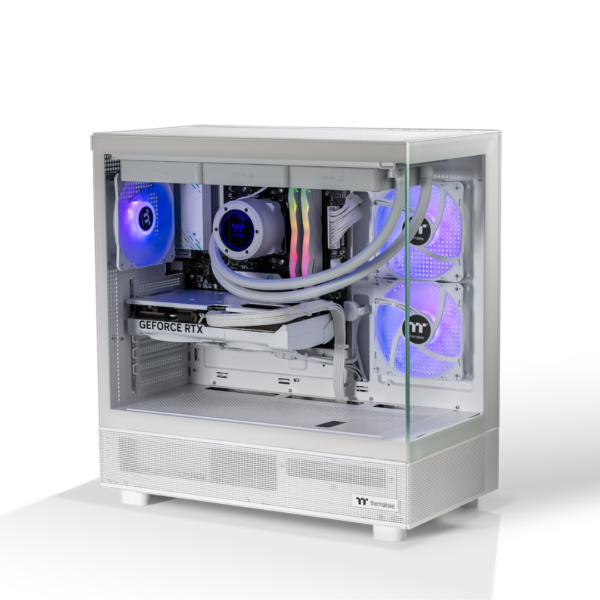
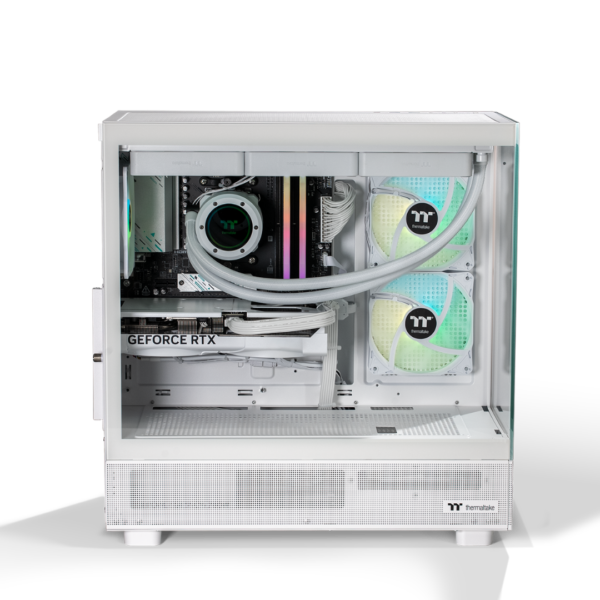
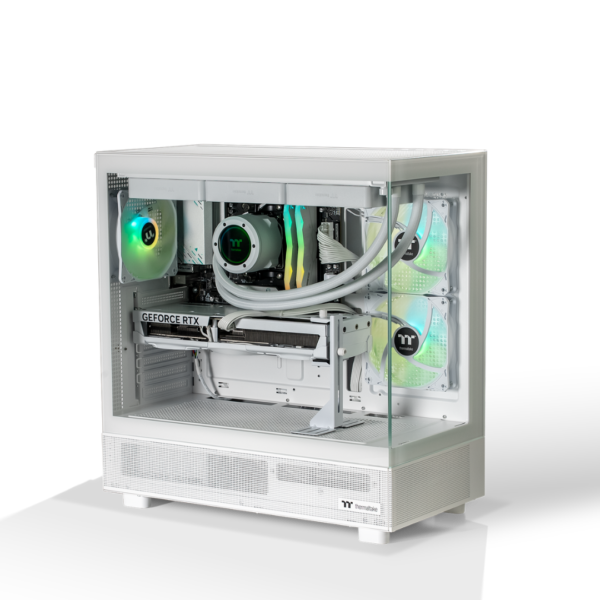
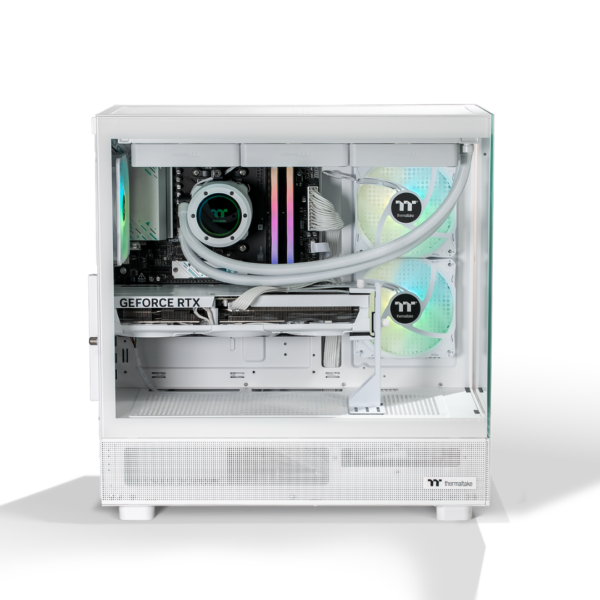
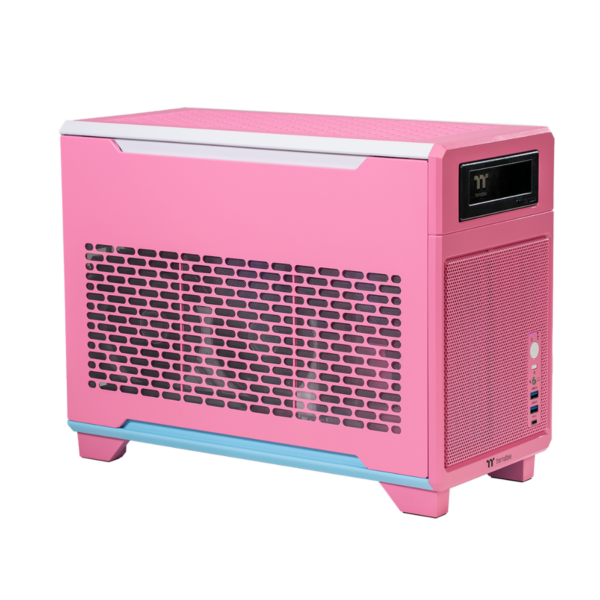
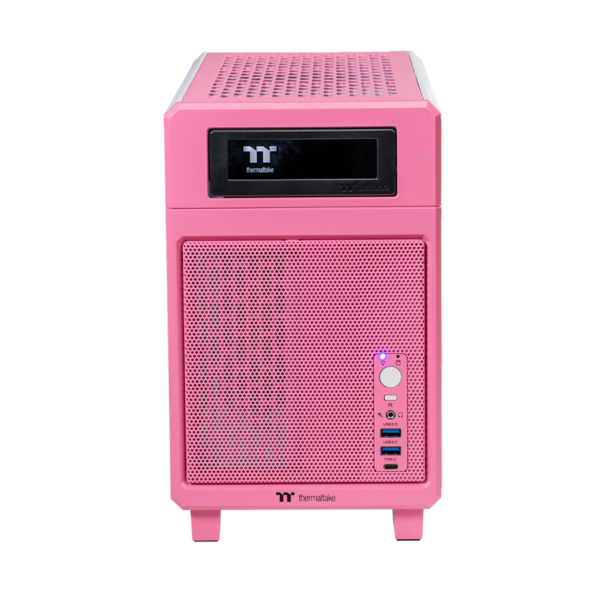
 Thermaltake Gaming Desktop PC: High-Performance Gaming Built Your Way
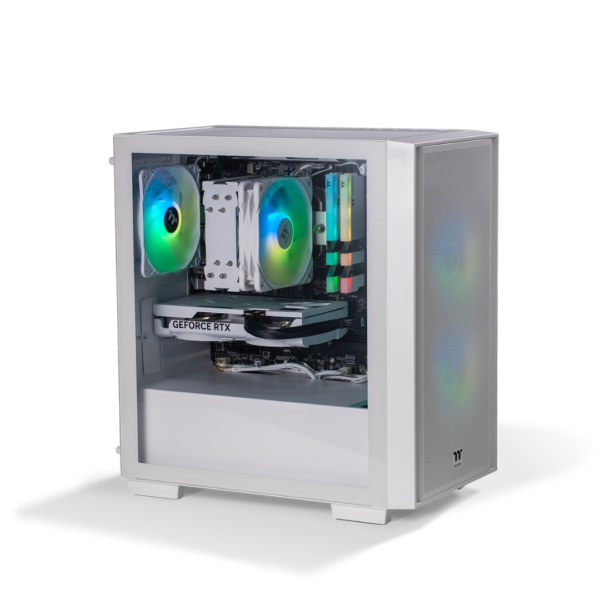
A Thermaltake Gaming Desktop PC is designed for players who want more than basic performance. Whether you enjoy competitive shooters, open-world adventures, simulation games, livestreaming, or creative work, Thermaltake systems combine capable components with bold case designs, cooling-focused layouts, and customizable RGB lighting.
From entry-level gaming setups to powerful RTX-equipped machines, a Thermaltake gaming computer can provide the processing power, graphics capability, and upgrade flexibility needed for modern PC gaming. The brand is especially well known for its PC cases, liquid cooling products, power supplies, fans, and visually striking chassis, which makes it a popular choice for gamers who care about both performance and presentation.
Thermaltake Gaming Desktop PC
Choosing a Thermaltake Gaming Desktop PC means investing in a machine built around gaming-first hardware. Depending on the configuration, these systems may include an Intel Core or AMD Ryzen processor, dedicated NVIDIA GeForce RTX graphics, fast DDR4 or DDR5 memory, NVMe SSD storage, and efficient air or liquid cooling.
A modern gaming desktop needs to balance several areas:
CPU performance for games, streaming, multitasking, and productivity
GPU performance for high frame rates, high-resolution visuals, and ray tracing
RAM capacity for smooth operation across demanding titles and background applications
Fast storage for quicker boot times and shorter game-loading screens
Cooling for stable performance during long gaming sessions
A reliable power supply with capacity for future upgrades
Thermaltake has a strong reputation in the enthusiast PC market because it produces many of the components that make a gaming desktop functional and visually appealing. This ecosystem can make a Thermaltake build attractive to buyers who want coordinated cases, fans, cooling hardware, RGB accessories, and power components rather than a generic-looking desktop.
Thermaltake Gaming Desktop PC
The ideal Thermaltake Gaming Desktop PC depends on how you play. Casual gamers may be well served by a system with a mid-range processor and an RTX 4060-class graphics card, while competitive gamers may prioritize high refresh-rate performance at 1080p or 1440p. Enthusiasts playing at 4K, using demanding ray-tracing settings, or creating video content may benefit from more advanced graphics hardware, a higher-core-count processor, and additional cooling.
When comparing systems, look beyond the headline graphics card. The full specification matters. For example, an RTX gaming computer with a strong GPU but limited memory, a small SSD, or poor airflow may not deliver the same long-term experience as a balanced configuration.
A well-rounded desktop may include:
Thermaltake Gaming PC
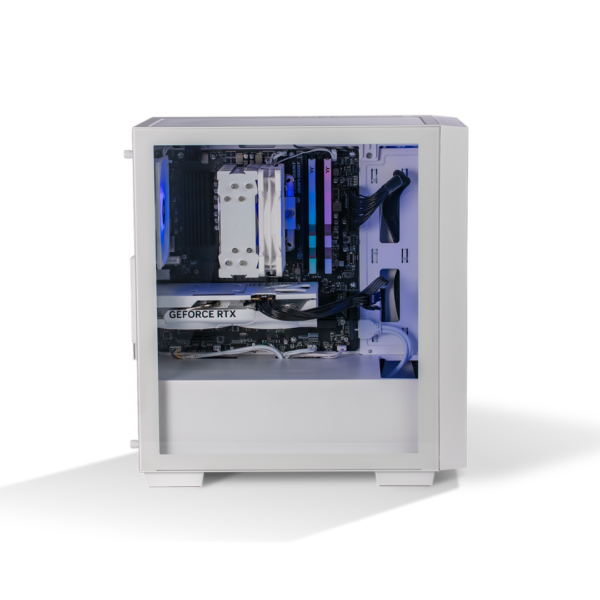
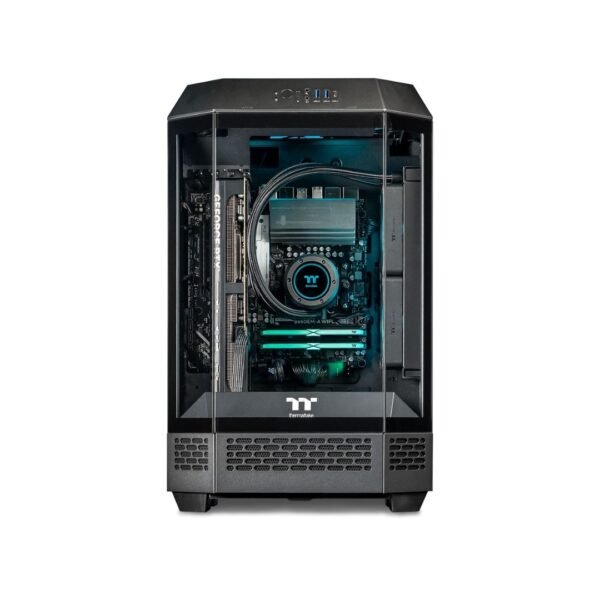
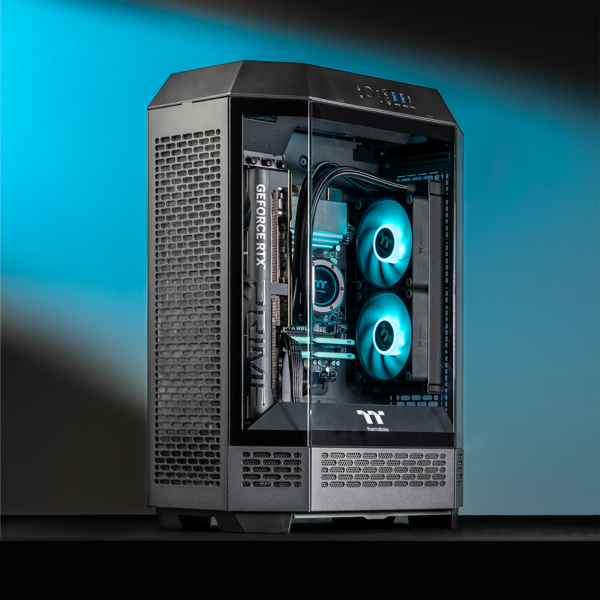
A Thermaltake Gaming PC can be a practical choice for gamers who want a desktop that looks distinctive without compromising on usability. Thermaltake cases range from compact, understated designs to panoramic glass cases and open-frame chassis that display internal components.
Case design is not only cosmetic. A good chassis supports sensible cable routing, adequate airflow, easy access to filters, room for graphics cards, and compatibility with modern cooling hardware. These details matter when you want to keep a system clean, cool, and upgradeable over time.
Thermaltake is particularly appealing for users who want an immersive desk setup. A coordinated build can include RGB case fans, illuminated memory, a liquid-cooling display, sleeved cables, and tempered-glass panels. With compatible software and controllers, lighting can often be adjusted to match your room, gaming accessories, or favourite game theme.
For a gamer building a complete setup, this can help create a desktop that feels personal rather than off-the-shelf.
Thermaltake Gaming Desktop
A Thermaltake Gaming Desktop is also worth considering for users with mixed needs. Gaming PCs are no longer used exclusively for games. A properly specified desktop can also support content creation, video editing, image processing, remote work, school projects, music production, and everyday multitasking.
A dedicated graphics card can accelerate certain creative applications, while a multicore processor and fast NVMe storage help when working with large files. If you edit gaming footage, stream on platforms such as Twitch or YouTube, or create product content with high-resolution images and video, a more capable desktop can reduce waiting time and improve workflow responsiveness.
For this reason, it is useful to choose based on your intended use rather than buying solely on appearance. A visually impressive Thermaltake desktop with a strong cooling system can be an excellent centrepiece for a gaming room, but it should also have enough memory, storage, and graphics performance for the games and applications you actually use.
Thermaltake Gaming Computer
A Thermaltake Gaming Computer can offer a useful balance between customization and convenience. Buyers generally have two main routes: select a prebuilt configuration or create a custom system.
A prebuilt PC is suitable for people who want a ready-to-use system without researching every individual component. It may arrive assembled, tested, and configured with compatible hardware. This approach is convenient for first-time PC gamers, busy buyers, and anyone who prefers warranty support from a single retailer or system builder.
A custom gaming computer is better suited to buyers with specific performance, visual, or upgrade requirements. You may choose the exact processor, GPU, motherboard, memory capacity, SSD size, cooling solution, case style, and lighting setup.
The most important factor is component balance. Spending nearly all of the budget on a graphics card while selecting weak supporting hardware can create bottlenecks. Conversely, buying an expensive processor with an entry-level graphics card may not deliver the gaming performance expected at higher resolutions.
Thermaltake Gaming PC Australia
For shoppers looking for a Thermaltake Gaming PC Australia option, it is important to assess local pricing, warranty coverage, shipping costs, and component availability. Australian gaming PC prices can vary due to exchange rates, supply conditions, retailer promotions, and the exact parts included in each build.
Before ordering, confirm whether the listed specification includes:
A genuine Windows licence, if required
Wi-Fi and Bluetooth connectivity
Keyboard and mouse accessories, if advertised
Assembly and stress testing
Delivery insurance or safe packaging
Local warranty terms and return procedures
Future upgrade options
Australian buyers should also pay attention to the monitor included in their budget. A powerful desktop paired with a low-refresh-rate display may not provide the full benefit of its graphics card. Competitive players may prefer a 144Hz, 165Hz, or higher refresh-rate monitor, while single-player gamers may prioritize 1440p or 4K resolution, colour quality, HDR capability, and screen size.
Thermaltake Gaming PC for Sale
When searching for a Thermaltake Gaming PC for Sale, compare the full parts list rather than relying on promotional language such as “high-end,” “ultimate,” or “elite.” Two systems can look similar in product images but contain very different processors, graphics cards, memory speeds, storage capacities, cooling systems, and power supplies.
A strong product listing should clearly identify the exact CPU and GPU model. It should also state the amount and type of RAM, SSD capacity, motherboard features, power-supply rating, cooling arrangement, and operating system status.
Check these details before buying:
Exact graphics card model rather than only “RTX graphics”
Processor generation and model number
RAM capacity, speed, and whether memory uses two sticks for dual-channel operation
SSD size and number of expansion slots
Power supply brand, wattage, and efficiency rating
Case fan count and cooling hardware
Motherboard support for later upgrades
Warranty length and which components it covers
A lower sticker price can be attractive, but a system with insufficient storage or a poor-quality power supply may require earlier upgrades. In many cases, paying slightly more for a balanced, well-built machine offers better long-term value.
Thermaltake Prebuilt Gaming PC
A Thermaltake Prebuilt Gaming PC removes much of the uncertainty from buying a new gaming system. The components are selected, installed, and tested before delivery, reducing the risk of compatibility issues that can arise when first-time builders assemble a PC on their own.
Prebuilt systems can be especially useful when graphics cards are difficult to source individually or when you need a complete desktop quickly. They can also simplify technical support because one retailer or builder is responsible for the overall system rather than several separate component manufacturers.
However, not all prebuilt PCs are equal. Look for transparency. A high-quality seller should identify core component brands and models whenever possible. Be cautious if the listing provides vague descriptions such as “gaming-grade PSU,” “premium motherboard,” or “high-speed RAM” without specific specifications.
The best prebuilt option is one that uses standard, upgrade-friendly parts. This makes it easier to add storage, install more memory, upgrade the graphics card, or improve cooling in the future.
Thermaltake Custom Gaming PC
A Thermaltake Custom Gaming PC gives you control over the experience from the beginning. You can build around your performance target, whether that means esports gaming at very high frame rates, cinematic 1440p gameplay, 4K gaming, streaming, or professional content creation.
For example, a custom system aimed at 1440p gaming could pair a modern six- or eight-core CPU with a capable RTX graphics card, 32GB of RAM, and a 1TB or 2TB NVMe SSD. The build could then use a Thermaltake airflow case, multiple PWM fans, and a liquid or tower CPU cooler to maintain stable temperatures while preserving the desired visual style.
Customization also lets you prioritize the details that matter to you:
Quiet operation for shared rooms or late-night gaming
Extensive RGB lighting for a showcase desktop
Extra storage for a large Steam, Epic Games, or Xbox PC game library
High-end cooling for sustained loads
Compact dimensions for limited desk space
A powerful graphics card for 4K displays or VR
Clean cable management and coordinated components
A custom build takes more planning, but it can deliver a more intentional system and reduce the need for immediate upgrades after purchase.
Thermaltake RTX Gaming PC
A Thermaltake RTX Gaming PC is aimed at players who want access to NVIDIA RTX features, including hardware-accelerated ray tracing, AI-assisted frame-generation technologies on supported models, and NVIDIA’s video encoding tools for streaming or recording.
Ray tracing can improve reflections, shadows, global illumination, and other lighting effects in supported games. It can make scenes appear more realistic, but it also increases the workload placed on the graphics card. That is why RTX-focused systems benefit from choosing a GPU appropriate for the monitor resolution and target frame rate.
For 1080p gaming, a mid-range RTX configuration may be enough for many titles at high settings. For 1440p gaming with demanding visual options, a stronger GPU and 32GB of memory can be a more comfortable choice. 4K gaming and intensive ray tracing generally require more graphics horsepower, particularly if you want to maintain consistently high frame rates.
An RTX-equipped Thermaltake desktop is also useful for creators. NVIDIA graphics cards can support efficient game capture, accelerated video work, AI-based creative features, and livestreaming workflows.
Thermaltake RGB Gaming PC
A Thermaltake RGB Gaming PC can turn a functional desktop into a key part of your gaming environment. Thermaltake’s ecosystem includes RGB fans, cases, liquid coolers, controllers, and accessories that can be coordinated for a unified appearance.
RGB is not just about bright colours. You can use lighting to create a subtle white workstation look, a low-key single-colour build, or reactive effects that change with temperature, music, and game activity where supported. The flexibility makes RGB useful for gamers who want a setup that changes with their mood or content style.
When planning an RGB configuration, keep cable management and controller compatibility in mind. Too many disconnected RGB ecosystems can make a build harder to manage. A more streamlined approach uses compatible fans, controllers, and software so lighting profiles remain easier to configure.
For best results, choose a case with clear cable-routing space, appropriate fan locations, and tempered-glass panels if you want the internal hardware to be visible.
Buy Thermaltake Gaming
If you plan to Buy Thermaltake Gaming hardware, start with your target gaming experience. Decide whether you are playing mainly at 1080p, 1440p, or 4K, then match the graphics card and monitor accordingly.
Your budget should include more than the desktop alone. Consider a monitor, headset, keyboard, mouse, controller, desk space, surge protection, and potentially a larger SSD for future game installations. Modern titles can consume substantial storage, so choosing a system with expansion capacity is often worthwhile.
A smart buying strategy is to allocate budget according to the games you play most:
Competitive esports titles often benefit most from high frame rates and a high-refresh monitor
Story-driven AAA games often benefit from stronger graphics performance and higher resolution
Simulation, strategy, and city-building games can benefit from a capable CPU and more memory
Streaming and video creation can benefit from extra CPU cores, more RAM, fast storage, and RTX encoding features
Buy Thermaltake Gaming PC
Before you Buy Thermaltake Gaming PC systems, compare at least a few configurations within your target budget. Focus on practical value rather than RGB lighting alone. Lighting and case design can be upgraded later; the graphics card, processor, power supply, cooling hardware, and motherboard platform have a larger effect on performance and longevity. Thermaltake Gaming Desktop PC
Also consider the upgrade path. A PC that supports additional storage, standard RAM modules, newer processors within the same motherboard platform, and a future graphics-card upgrade can remain useful for years.
Ask whether the system includes spare drive bays, unused M.2 slots, sufficient PSU headroom, and proper case clearance for larger graphics cards. These features can make future changes easier and less expensive.
Buy Thermaltake Gaming Desktop
To Buy Thermaltake Gaming Desktop systems with confidence, make sure the seller provides an accurate specification sheet and a clear warranty policy. Product photography can be useful for evaluating the case and lighting, but written specifications should drive the final decision.
A good desktop purchase should include hardware suited to your actual workload, a cooling setup that supports sustained performance, and enough storage for current needs. If you are unsure between two similarly priced systems, choose the one with the better graphics card for gaming performance, provided the remaining components are from reputable brands and appropriately matched.
It is also sensible to check physical dimensions before ordering. Large panoramic cases can look impressive, but they may require considerable desk space and can be heavy to move. Compact cases are easier to place but may offer less room for cooling and future upgrades.
Thermaltake Gaming PC Price
Thermaltake Gaming PC Price depends on the components, case style, cooling system, storage capacity, and assembly level. Entry-level systems are usually designed for lighter gaming and esports titles, while mid-range models target strong 1080p or 1440p performance. Premium machines with high-tier RTX graphics, advanced liquid cooling, extensive RGB hardware, and large storage capacities carry a higher cost.
Rather than setting a budget based only on a desktop’s advertised price, identify the performance level you need. A system that is ideal for 1080p esports may not be the best investment for 4K ray-traced gaming. Equally, buying an extreme specification for light gaming and web use may not provide meaningful extra value.
The best price is therefore not always the cheapest price. It is the price that delivers the right performance, build quality, warranty protection, and upgrade potential for your needs.
Thermaltake Gaming PC Deals
Thermaltake Gaming PC Deals can be appealing during major shopping events, clearance periods, and retailer promotions. A good deal should provide a genuine specification advantage, such as a stronger graphics card, more storage, more RAM, or a better cooling solution for a similar price.
Avoid judging deals only by the percentage discount. Compare the sale price to equivalent builds using the same core hardware. Pay special attention to graphics cards because GPU performance has the largest direct effect on gaming results in most modern titles.
A worthwhile deal may include:
A graphics-card upgrade within the same budget
A larger 1TB or 2TB NVMe SSD
32GB of RAM instead of 16GB
Better cooling and additional case fans
A higher-quality power supply
Included Windows installation or professional assembly
A longer warranty or local support package
Thermaltake
Thermaltake is a familiar name in PC building because its products cover many important parts of a desktop ecosystem. From cases and cooling to power supplies, fans, RGB products, and peripherals, the brand is associated with gamer-focused PC design.
This makes Thermaltake particularly relevant to buyers who want a cohesive system. Instead of treating the desktop as a sealed black box, a Thermaltake-oriented build can be configured as a visible, customizable machine that complements the rest of a gaming setup.
Whether you prefer minimal lighting or a full RGB showcase, the brand’s broad component range makes it possible to create a system around your own preferences.
Gaming PC Deals Australia
When reviewing Gaming PC Deals Australia, compare local stock, advertised delivery times, warranty terms, and the final delivered price. A low initial price may become less attractive after shipping charges, optional Windows licensing, or limited warranty coverage.
It is also wise to review retailer feedback, return conditions, and support procedures before committing to an expensive desktop. If possible, choose sellers that clearly document their configurations and make it easy to contact technical support if an issue occurs after delivery.
For gamers looking for long-term value, prioritize a balanced configuration and a reputable system builder over the flashiest promotion. Reliable components and transparent service are often more valuable than a small short-term discount.
Thermaltake Gaming Computer for Sale
A Thermaltake Gaming Computer for Sale should offer clear value for your intended resolution, game types, and productivity needs. If you play competitive games at 1080p, you may not need the same graphics card as someone playing modern AAA games at 4K with ray tracing enabled.
Use game benchmarks as a guide, but remember that results vary by title, resolution, in-game settings, drivers, and the rest of the system. Target a configuration with a little performance headroom rather than buying a PC that only barely meets current requirements.
That headroom can help your system remain enjoyable as newer games become more demanding, especially if you plan to keep the desktop for several years.
Thermaltake Desktop Computer for Sale
A Thermaltake Desktop Computer for Sale can be more than a gaming purchase. With the right components, it can serve as a central computer for work, study, entertainment, photo editing, video creation, and home-office use.
For mixed use, consider upgrading to 32GB of RAM and choosing at least 1TB of SSD storage. These changes can be especially worthwhile if you keep many games installed, edit media files, work with browser tabs, or run several applications at once.
A desktop also offers a major advantage over many laptops: it is usually easier to maintain and upgrade. You can expand storage, replace cooling fans, add memory, change the graphics card, or refresh the visual design as your needs change.
Thermaltake Gaming PC Online
Buying a Thermaltake Gaming PC Online is convenient, but the process should be deliberate. Read the full specification, inspect the included accessories, and verify whether the product is ready to use out of the box.
Check whether you need to install an operating system, connect a Wi-Fi adapter, or purchase peripherals separately. If the PC will be shipped, confirm that the retailer uses protective internal packaging for heavy components, particularly large graphics cards.
Online shoppers should save product listings, invoices, warranty information, and any communications about specifications. This documentation can be useful if the delivered configuration differs from the advertised system.
Thermaltake Gaming PC Best Price
Finding the Thermaltake Gaming PC Best Price is about matching a realistic budget with the right component combination. A better price can come from choosing a simpler case, reducing unnecessary RGB extras, or selecting a balanced GPU tier rather than paying for hardware you will not fully use.
For many buyers, the strongest value comes from a mid-range desktop with a current-generation processor, a capable RTX graphics card, 16GB or 32GB of RAM, and a generous NVMe SSD. This type of configuration can deliver an enjoyable experience across a wide range of games without the premium cost of a flagship system.
Do not overlook the display. A powerful gaming computer deserves a monitor that can show its performance. Pairing a well-configured Thermaltake desktop with an appropriate high-refresh 1080p or 1440p monitor can deliver a more noticeable improvement than overspending on components beyond your actual needs.
Thermaltake Gaming Desktop Australia
A Thermaltake Gaming Desktop Australia purchase should be guided by performance requirements, transparent component specifications, warranty support, and local availability. Whether you choose a ready-built desktop or a fully customized system, Thermaltake’s cases, cooling solutions, RGB hardware, and power components can help create a PC that is both functional and visually impressive.
The right Thermaltake Gaming Desktop PC should feel capable today while leaving room for tomorrow. Choose a graphics card that supports your preferred games and monitor resolution, ensure the system has enough memory and storage, look for cooling that can sustain performance, and buy from a retailer or builder with clear after-sales support.
With the right configuration, a Thermaltake gaming system can become the foundation of a fast, immersive, and upgrade-ready PC setup for years of gaming, streaming, and creative work. Contact Us